
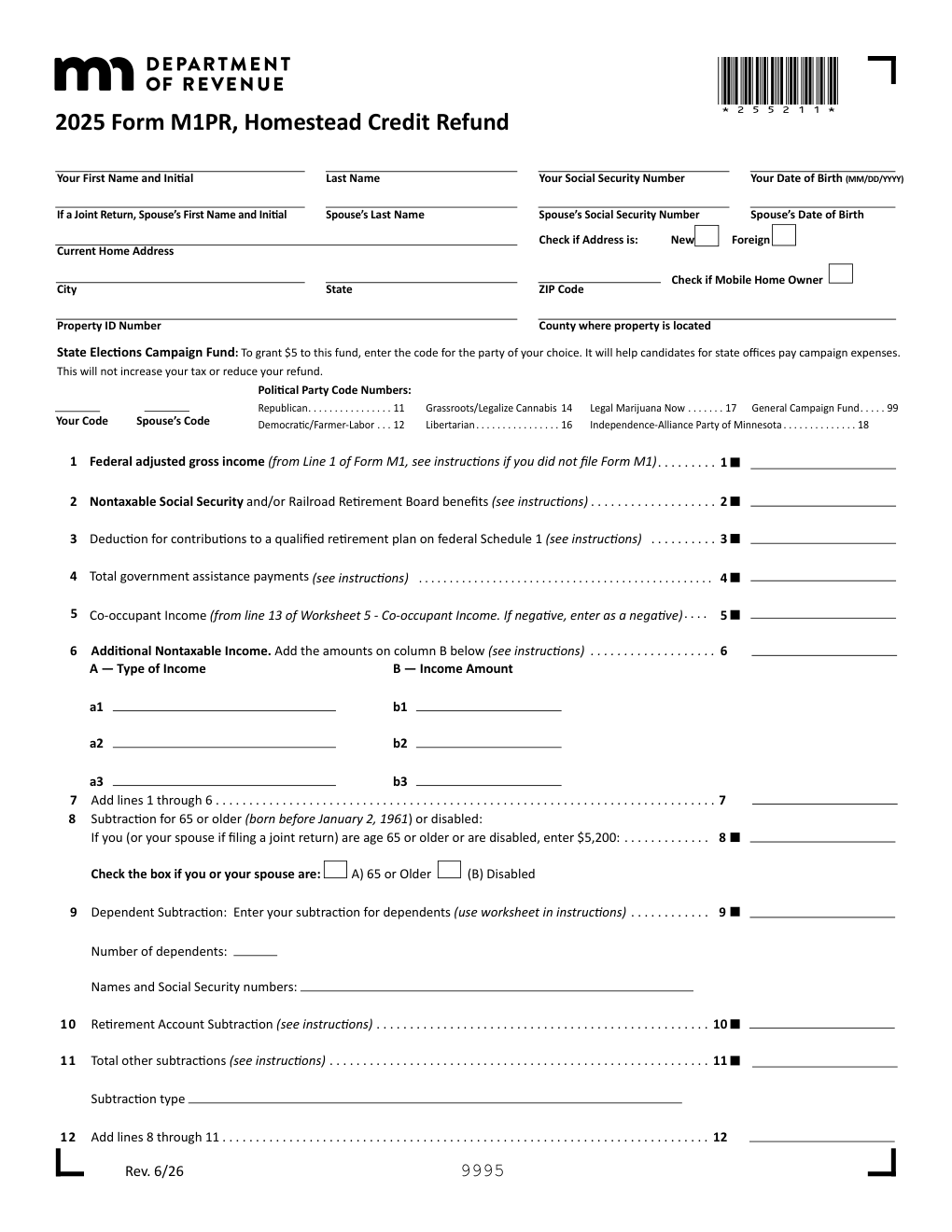
What is Form M1PR?
Quick answer: Form M1PR is the Minnesota Homestead Credit Refund, the state’s property tax refund for homeowners. You qualify if your total household income is less than $142,490, you owned and occupied your home on January 2, 2026, the property is classified as your homestead and has no delinquent property taxes. A separate special refund (Schedule M1PR-SR, maximum $1,000, no income limit) is available when your net property tax rose by more than 12% and at least $100. Renters no longer use this form: since 2024 the renter’s credit is claimed on Schedule M1RENT with your income tax return. The final deadline to claim the 2025 refund is August 16, 2027.
The Minnesota property tax refund is based on two numbers: your household income and the property tax shown on your Statement of Property Taxes Payable. The refund table matches the two to give a refund amount, and a one-time 14.88% increase enacted in the 2026 legislative session is added on line 17a for the 2025 return.
Many people searching for the “renter’s property tax refund” or “MN homestead credit” mean this program. For homeowners it is Form M1PR; for renters it is now part of the income tax return.
Key Figures — 2025 Form M1PR (Rev. 6/26) and 2025 M1PR instructions
- Income limit: total household income must be less than $142,490.
- Ownership test: you owned and occupied your home on January 2, 2026, and it is your classified homestead (or you applied and were approved) with no delinquent property taxes.
- One-time increase: multiply the line 17 refund by 14.88% (line 17a) for the 2025 return.
- Special refund (Schedule M1PR-SR): no income limit, maximum $1,000; you owned and occupied your home on January 2, 2025 and January 2, 2026, your net property tax rose by more than 12%, and the increase was at least $100.
- Deadlines: the 2025 return should be e-filed, postmarked or dropped off by August 17, 2026; the final deadline to claim the 2025 refund is August 16, 2027.
- Renters: claim the renter’s credit on Schedule M1RENT, filed with the Minnesota income tax return. Someone who rented in 2025 and owned a home on January 2, 2026 may file both.
- Mail to: Minnesota Property Tax Refund, Mail Station 0020, 600 N. Robert St., St. Paul MN 55146-0020.
Source: the Minnesota Department of Revenue, 2025 Form M1PR and the 2025 Homestead Credit Refund Forms and Instructions. Last verified October 14, 2026.
Who Must File Form M1PR?
Homeowners who meet the requirements above can claim the homestead credit refund on Form M1PR. You must be a Minnesota resident or part-year resident, and your homestead must be classified as such on your property tax statement. If you bought your home in 2025 or the property is not classified as homestead, apply for homestead status with your county assessor by the deadline shown in the instructions.
Mobile home owners who owned and lived in a mobile home on January 2, 2026 and paid rent for the lot may also use Form M1PR (check the mobile home owner box and complete the worksheet for lot rent). A person who owned a home and rented during part of 2025 can file both M1PR and Schedule M1RENT.
You do not qualify if you are a dependent (including someone who can be claimed on another person’s 2025 federal return, or certain people under 19 or full-time students under 24 who did not provide more than half their own support), if you have no Social Security number or ITIN, if you are a full-year resident of Michigan or North Dakota, or if your property is a relative homestead.
Delinquent taxes: property taxes are generally not delinquent if you have paid them or signed a confession of judgment.
Common trap: using Form M1PR to claim a renter’s refund. Starting in 2024 renters claim the renter’s credit on Schedule M1RENT with their income tax return.
How to File Form M1PR
- Get your Statement of Property Taxes Payable in 2026 (the Notice of Proposed Taxes does not replace it) and your 2025 income records. Do not mail the property tax statement with the return.
- Complete lines 1 through 13 to compute household income, including nontaxable income, government assistance payments and any co-occupant income.
- Enter the property tax on line 14 and, if you qualify, complete Schedule M1PR-SR for the special refund and enter the result on line 15.
- Find your refund in the refund table using the amounts on line 13 and line 16 and enter it on line 17; compute the one-time increase on line 17a.
- Choose direct deposit on line 21 (an account not associated with a foreign bank), sign, and e-file or mail the return.
- To amend, use Form M1PRX; generally you have until February 15, 2030 to amend a 2025 property tax refund return.
When Is Form M1PR Due?
Your 2025 return should be electronically filed, postmarked or dropped off by August 17, 2026, and the final deadline to claim the 2025 refund is August 16, 2027. The refund is based on the property taxes payable in 2026 and your 2025 household income, so each year’s return is filed in the following summer. The Department’s Where’s My Refund tool shows the status after July 1.
Where to Mail Form M1PR
Mail the return to: Minnesota Property Tax Refund, Mail Station 0020, 600 N. Robert St., St. Paul MN 55146-0020. Do not include your property tax statement. You can also file electronically.
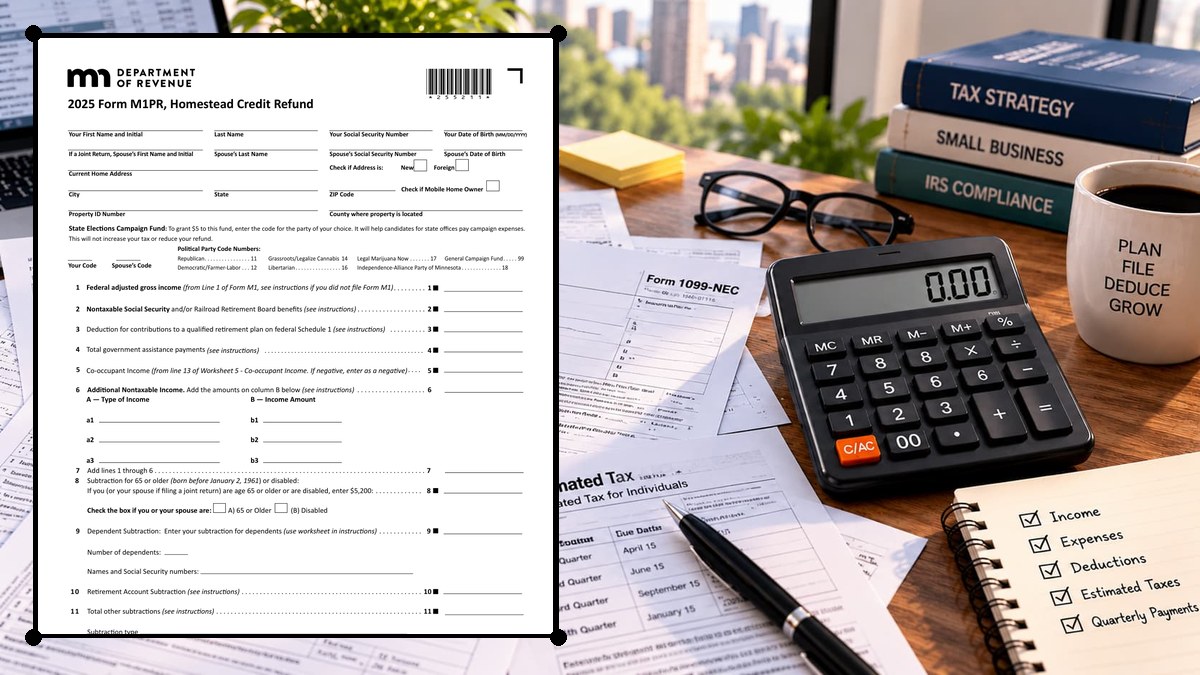
How to Complete Form M1PR Line by Line
Lines 1–7 — Household Income
| Line | What to enter |
|---|---|
| Line 1 | Federal adjusted gross income (from line 1 of Form M1 if you filed one). |
| Line 2 | Adds nontaxable Social Security and Railroad Retirement benefits. |
| Line 3 | Adds the deduction for contributions to a qualified retirement plan on federal Schedule 1. |
| Line 4 | Adds total government assistance payments. |
| Line 5 | Adds co-occupant income (worksheet 5; negative amounts are entered as negatives). |
| Line 6 | Adds other nontaxable income by type. |
| Line 7 | Adds lines 1 through 6. |
Lines 8–13 — Subtractions and Net Household Income
| Line | What to enter |
|---|---|
| Line 8 | $5,200 if you or your spouse are 65 or older (born before January 2, 1961) or disabled. |
| Line 9 | The dependent subtraction (use the worksheet). |
| Line 10 | The retirement account subtraction. |
| Line 11 | Other subtractions. |
| Line 12 | Adds lines 8 through 11. |
| Line 13 | Subtracts line 12 from line 7. |
This is the household income used in the refund table.
Lines 14–16 — Property Tax and Special Refund
| Line | What to enter |
|---|---|
| Line 14 | The property tax from line 1 of your Statement of Property Taxes Payable in 2026; complete the worksheet if you used part of your home for business, rented part of it to others or are a mobile home owner who paid lot rent. |
| Line 15 | The special refund from Schedule M1PR-SR, line 13, if you qualify. |
| Line 16 | Subtracts line 15 from line 14 and is the property tax used with line 13 in the refund table. |
Lines 17–20 — Homestead Credit Refund, Increase and Total Refund
| Line | What to enter |
|---|---|
| Line 17 | The homestead credit refund from the table; if it is zero or blank you do not qualify for the homestead credit refund, and if line 13 is below zero use zero in the table. |
| Line 17a | Multiplies line 17 by 14.88%. |
| Line 18 | Adds lines 15, 17 and 17a. |
| Line 19 | An optional Nongame Wildlife Fund contribution that reduces your refund. |
| Line 20 | Your refund. |
Lines 21–23 — Direct Deposit, Signature and Refund
Line 21 is for direct deposit (checking or savings; the account cannot be associated with a foreign bank). A special refund claimed alone requires only Schedule M1PR-SR and lines 15 and 18–21. Sign the return and, if filing jointly, have your spouse sign; a paid preparer must sign and provide a PTIN. The authorization checkbox lets the Department discuss the return with your preparer.
Common Mistakes to Avoid
- Filing M1PR as a renter. Use Schedule M1RENT with your income tax return instead.
- Missing the homestead classification. The property must be classified (or approved) as your homestead.
- Leaving out nontaxable income. Nontaxable Social Security, government assistance and other nontaxable income count toward household income.
- Including the property tax statement in the mailing. Do not send it.
- Claiming a relative homestead. Neither the owner nor the occupants may claim a refund for property classified as a relative homestead.
- Skipping Schedule M1PR-SR when the special refund applies.
Frequently Asked Questions
Who qualifies for the Minnesota homestead credit refund? Homeowners with household income under $142,490 who owned and occupied a classified homestead on January 2, 2026, with no delinquent property taxes.
What is the special refund? A refund of up to $1,000 with no income limit when net property tax rises by more than 12% and at least $100 (Schedule M1PR-SR).
Can renters use Form M1PR? No. Renters claim the renter’s credit on Schedule M1RENT filed with the Minnesota income tax return.
When is the deadline for the 2025 refund? The return should be filed by August 17, 2026; the final deadline to claim it is August 16, 2027.
What is the 14.88% increase? A one-time increase enacted in the 2026 session, calculated on line 17a by multiplying line 17 by 14.88%.
Where do I mail the return? Minnesota Property Tax Refund, Mail Station 0020, 600 N. Robert St., St. Paul MN 55146-0020.
Final Review Before Filing
- You owned and occupied your home on January 2, 2026 and it is your classified homestead.
- Household income is under $142,490 and you are not a dependent.
- Property taxes are not delinquent.
- Lines 1 through 13 include all taxable and nontaxable income and the correct subtractions.
- Line 14 matches your Statement of Property Taxes Payable in 2026.
- Schedule M1PR-SR is attached if you claim the special refund.
- The return is signed and filed by the deadline.
Sources & verification
- Issuing agency: Minnesota Department of Revenue
- Official documents: Form M1PR (PDF) · 2025 M1PR instructions (PDF)
- Checked against: 2025 Form M1PR (Rev. 6/26) and the 2025 Homestead Credit Refund instructions
- Last verified: October 14, 2026
Spot an error or an out-of-date figure? Tell us and we will check it against the official source.
General information from the official form and its instructions, not advice for your circumstances. See the full disclaimer.