What is Form REV-1706?
Quick answer: Form REV-1706 is the form a business uses to close its Pennsylvania tax accounts and licenses when it stops operating, is sold, or no longer has a particular tax obligation. One form can cancel sales/use tax, employer withholding, non-wage and retirement withholding, Public Transportation Assistance (PTA) taxes and fees, vehicle rental tax, a Tobacco Products license, consumer fireworks tax, and wine excise tax. There is no annual deadline — you file it when the triggering event happens, giving a cancellation date for each account. It is submitted by fax or email, or the same changes can be made online through myPATH. This guide walks through the REV-1706 instructions section by section, in plain English.
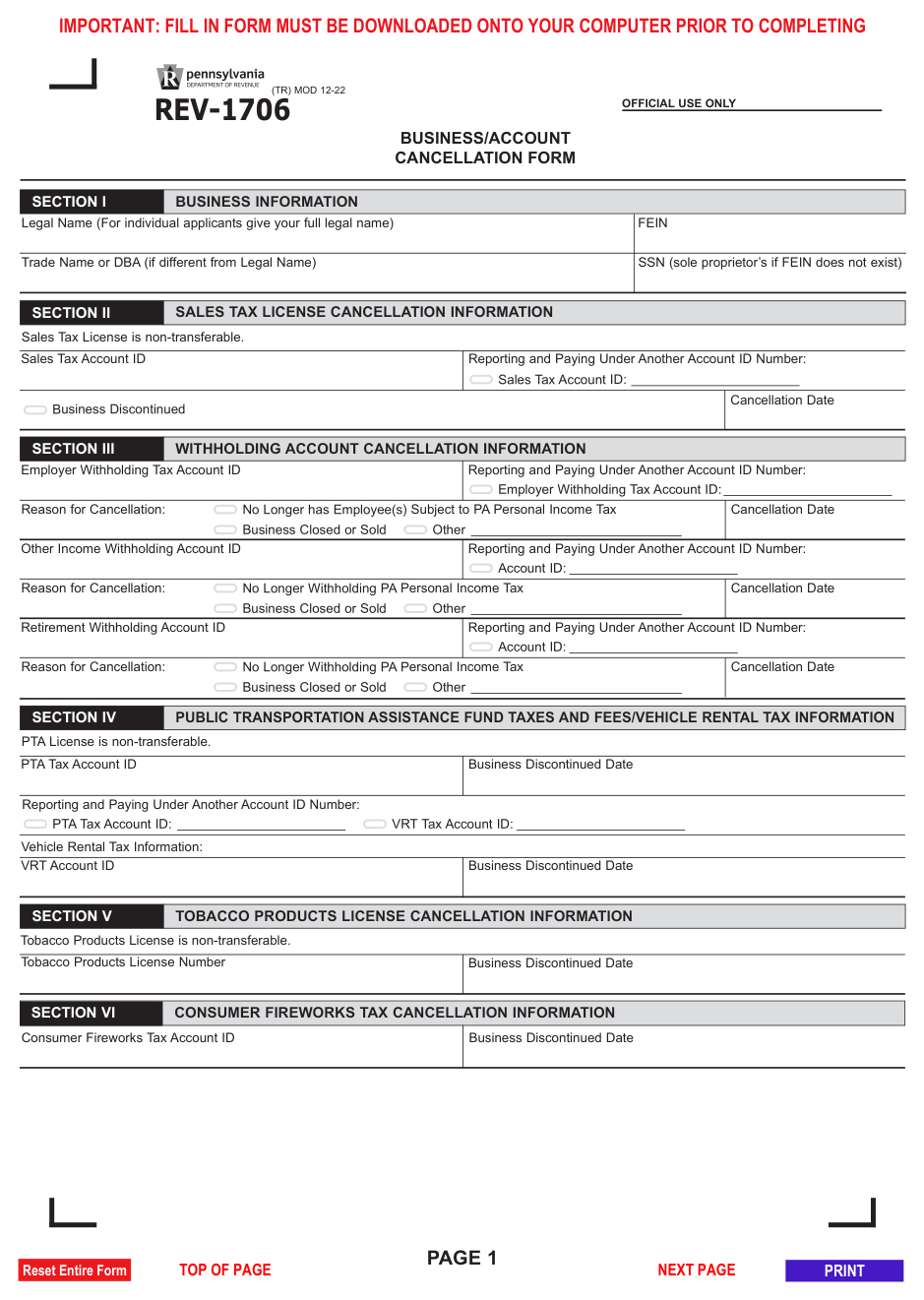
Form REV-1706, the Business/Account Cancellation Form, tells the Pennsylvania Department of Revenue to close one or more of your business’s tax accounts or licenses. You file it when the business was discontinued, sold, or ceased operations in Pennsylvania, or when a specific obligation ends — for example, you no longer have employees subject to PA personal income tax, or you no longer make taxable sales.
The form is organized by tax type. For each account you want to close, you enter the account ID, a reason, and a cancellation or business-discontinued date, and you sign an affirmation under the state’s unsworn-falsification law. Completing it matters because an open account keeps generating filing obligations: if you stop filing without formally cancelling, the Department can issue estimated assessments and non-filer penalties for periods after you actually closed.
Key Figures — Form REV-1706 (revision TR MOD 12-22)
- Covers eight tax types: sales/use tax license; employer withholding; other (non-wage) income withholding; retirement withholding; PTA taxes and fees; vehicle rental tax; Tobacco Products license; consumer fireworks tax; wine excise tax.
- Several of these licenses — including the sales tax, PTA, and Tobacco Products licenses — are non-transferable, so a buyer of the business must register for their own.
- Submit by fax to 717-787-3708 or email to RA-BTFTREGISFAX@PA.GOV.
- Online alternative: cancel accounts directly at mypath.pa.gov.
- A new federal EIN issued by the IRS requires a new business tax registration, not this form.
- Source: Pennsylvania Department of Revenue — Form REV-1706 (revision TR MOD 12-22).
- Last verified: 2026-09-08
Who Must Complete Pennsylvania Form REV-1706?
Any business or person holding a Pennsylvania tax account or license that should be closed, including:
Businesses that closed or were sold. A sole proprietor, partnership, LLC, or corporation that discontinued or sold its Pennsylvania operations closes each active account here.
Employers that no longer withhold. A business that no longer has employees subject to PA personal income tax cancels its employer withholding account, even if the business itself continues.
Payers that stop non-wage or retirement withholding. A business that no longer issues 1099-MISC/1099-NEC with PA withholding, or 1099-R with PA withholding, cancels those separate withholding accounts.
Licensees that stopped a regulated activity. A business that stopped selling tobacco products, consumer fireworks, or wine, or stopped activity subject to PTA or vehicle rental tax, cancels those licenses.
Who should not use this form. A business that only changed its name, address, or filing frequency uses Form REV-1705R instead. A business that got a new federal EIN, changed ownership, or reorganized must complete a new Pennsylvania Online Business Tax Registration rather than cancel and refile here.
How to File Pennsylvania Form REV-1706
- Online: Log in to myPATH at mypath.pa.gov and close the accounts directly. This is the fastest method and gives immediate confirmation.
- By fax or email: Complete the paper form, sign Section VIII, and send it to the Bureau of Business Trust Fund Taxes at the fax number or email address in the instructions.
- File final returns. Cancelling an account does not replace the returns due through the cancellation date. File any outstanding and final sales tax, withholding, or other returns, and pay any balance, so the account can be closed cleanly.
Before you start, gather: the account ID or license number for each account you are closing; the exact date each business activity or obligation ended; and, if you are shifting reporting to another entity, that entity’s account ID.
When to Submit Pennsylvania Form REV-1706
Form REV-1706 has no fixed calendar deadline; it is event-driven.
- Submit it promptly after the triggering event — the date the business was discontinued or sold, or the date a specific obligation ended (last taxable sale, last payroll subject to PA withholding, last regulated sale of tobacco, fireworks, or wine).
- Enter an accurate cancellation date for each account. The Department uses that date to determine which returns are still required.
- File through the cancellation date. Returns and payments remain due for every period up to and including the cancellation date, including a final return where one applies.
- If you delay, the account stays active and the Department may generate returns, estimated assessments, and non-filer penalties for periods after you actually stopped operating. Those have to be resolved before the account will close.
Where to Send Pennsylvania Form REV-1706
You do not mail this form to a PO box. Send the completed, signed form to the Department’s business tax registration unit:
- Fax: 717-787-3708
- Email: RA-BTFTREGISFAX@PA.GOV
- Online alternative: Make the same cancellations by logging in to myPATH at mypath.pa.gov, which is the Department’s preferred method.
- Attachments: None are required with the form itself, but keep proof of the closing date (sale agreement, final payroll record, lease termination) with your records in case the Department asks.
How to Complete Pennsylvania Form REV-1706 Section by Section
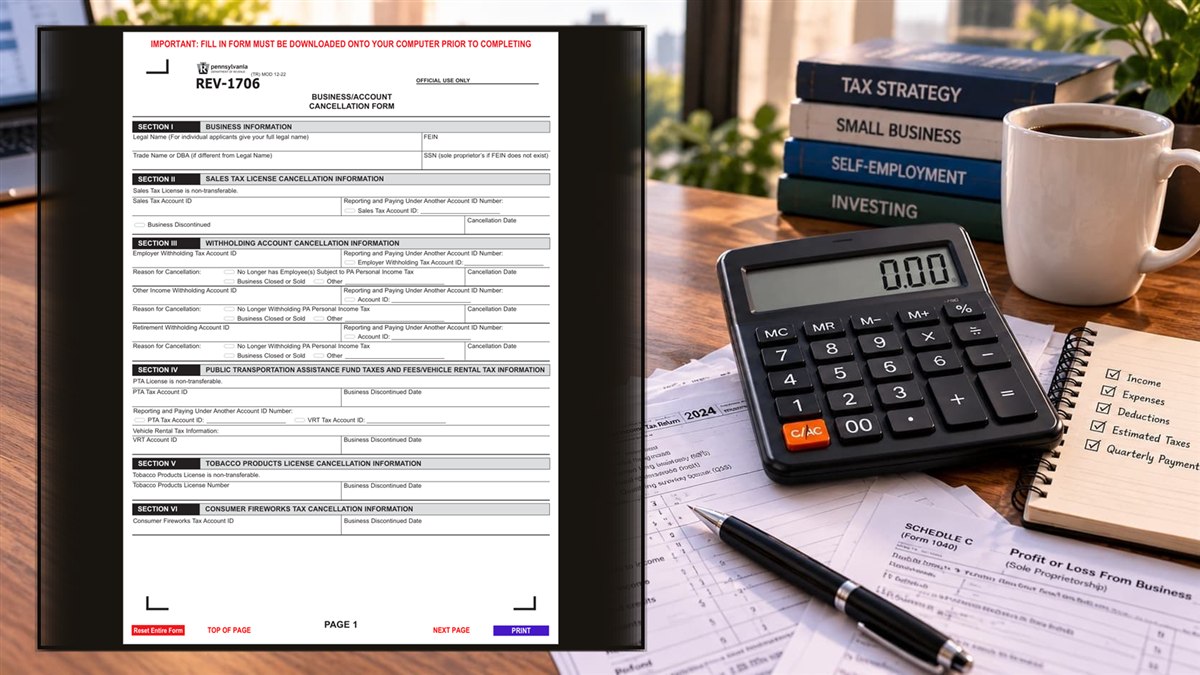
The REV-1706 instructions organize the form into short sections; you fill in the ones that match the accounts you are closing.
Section I — Business Information
Legal Name: Enter the business’s full legal name. An individual applicant enters their full legal name.
FEIN: Enter the business’s federal Employer Identification Number.
Trade Name or DBA: Enter the trade name if it differs from the legal name.
SSN: A sole proprietor with no FEIN enters their Social Security number.
Section II — Sales Tax License Cancellation
Sales Tax Account ID: Enter the account ID for the sales tax license you are closing.
Reporting and Paying Under Another Account ID Number: If sales tax activity continues under a different account, check this and enter that account ID.
Business Discontinued: Check this box if the business itself has stopped operating in Pennsylvania.
Cancellation Date: Enter the last date the license should be active — generally the date of the last taxable sale, rental, lease, or service.
Section III — Withholding Account Cancellation
Employer Withholding Tax Account ID: Enter the account ID for wage withholding. Check a reason — no longer has employees subject to PA personal income tax, business closed or sold, or other (describe it) — enter any successor account ID, and enter the cancellation date.
Other Income Withholding Account ID: Enter the separate account ID used for non-wage withholding on 1099-MISC or 1099-NEC payments. Check a reason (no longer withholding PA personal income tax, business closed or sold, or other), enter any successor account ID, and enter the cancellation date.
Retirement Withholding Account ID: Enter the separate account ID used for withholding on retirement income reported on 1099-R. Check a reason, enter any successor account ID, and enter the cancellation date.
Section IV — PTA Taxes and Fees / Vehicle Rental Tax
PTA Tax Account ID: Enter the Public Transportation Assistance account ID and the business-discontinued date. If activity continues under another account, enter that PTA account ID.
VRT Account ID: Enter the vehicle rental tax account ID and the business-discontinued date. Enter a successor VRT account ID if reporting moves elsewhere.
Section V — Tobacco Products License Cancellation
Tobacco Products License Number: Enter the license number and the date the business stopped selling cigarettes and other tobacco products. This license is non-transferable.
Section VI — Consumer Fireworks Tax Cancellation
Consumer Fireworks Tax Account ID: Enter the account ID and the date the business stopped selling consumer fireworks.
Section VII — Wine Excise Tax Cancellation
Wine Excise Tax Account ID: Enter the account ID and the business-discontinued date. Use this section if the business is no longer a licensed Pennsylvania direct wine shipper or no longer responsible for collecting and paying wine excise tax.
Section VIII — Affirmation
Name, Signature, Date: An authorized person signs and dates, affirming under 18 Pa.C.S. § 4904 (unsworn falsification to authorities) that the information is true, correct, and complete. Sign after printing.
Title, Email Address, Telephone Number: Enter the signer’s title and contact information so the Department can follow up.
Common Mistakes to Avoid
- Stopping filing without cancelling. An open account keeps generating return obligations and non-filer assessments after you close.
- Using this form for a name or address change. Those go on Form REV-1705R; REV-1706 only closes accounts.
- Cancelling instead of re-registering after a reorganization. A new EIN, a change of ownership, or an incorporation requires a new business tax registration.
- Wrong cancellation date. The date drives which returns are still due; use the actual last day of activity, not the date you fill out the form.
- Forgetting the separate withholding accounts. Wage, non-wage (1099-MISC/NEC), and retirement (1099-R) withholding are three different accounts and each has its own section.
- Not filing the final returns. The Department will not fully close an account with outstanding returns or balances.
- Leaving Section VIII unsigned. An unsigned form is not processed.
- Missing a successor account ID. If activity continues under another entity, enter that account ID so the Department links the two.
Frequently Asked Questions
Do I file REV-1706 every year? No. You file it once, when the business closes or a specific tax obligation ends.
What happens if I just stop filing? The Department keeps the account open, estimates returns you did not file, and can add non-filer penalties and interest for those periods.
Can I cancel online instead? Yes. myPATH at mypath.pa.gov lets you close the same accounts directly and is the Department’s preferred method.
Where do I send the paper form? By fax to 717-787-3708 or email to RA-BTFTREGISFAX@PA.GOV.
My business is still open but I let my last employee go — what do I cancel? Only the employer withholding account in Section III, with the reason “no longer has employees subject to PA personal income tax.” Leave your other accounts open.
Do I still have to file a final sales tax return? Yes. File returns and pay any tax due through the cancellation date, including a final return.
I sold the business. Can the buyer keep my sales tax license? No. Several of these licenses — including the sales tax, PTA, and Tobacco Products licenses — are non-transferable; you cancel yours and the buyer registers for their own.
I got a new EIN from the IRS. Do I use this form? No. A new EIN requires a new Pennsylvania Online Business Tax Registration.
Final Review Before Filing
- Section I shows the correct legal name and FEIN (or SSN for a sole proprietor).
- Every account you want closed has its ID entered in the right section.
- Each section has a reason and an accurate cancellation or business-discontinued date.
- Successor account IDs are entered where activity continues under another entity.
- Wage, non-wage, and retirement withholding accounts are each addressed if you hold them.
- Final returns for every account are filed and any balances are paid.
- Section VIII is signed and dated after printing, with title and contact details.
- Sent by fax to 717-787-3708 or email to RA-BTFTREGISFAX@PA.GOV, or completed on myPATH.
- You kept a copy of the form and proof of the closing date.
Sources & verification
- Issuing agency: Pennsylvania Department of Revenue
- Official documents: Form REV-1706 (PDF)
- Checked against: REV-1706 (TR) MOD 12-22
- Last verified: September 8, 2026
Spot an error or an out-of-date figure? Tell us and we will check it against the official source.
General information from the official form and its instructions, not advice for your circumstances. See the full disclaimer.